When Built-In Automation Tools Aren't Enough
The daily chore
Billing is simultaneously the most important, and also the most frustrating task for a business. Important because, well, it’s your revenue for goods and services sold. But also frustrating because you have to really focus and make sure you’re not making mistakes. Smooth business operations require invoicing the right customer at the right time for the right amount.
It’s a situation I found myself in. Because we have automations going live at different times, it means we have invoices going out at different times too. Every day I would be sitting with Xero open in one window and our customer list in another, carefully copying data across into the New Invoice form, triple-checking to make sure I wasn’t making any mistakes.
Something needs to change
The obvious answer was to use Xero’s built-in automation to set up recurring invoices. By creating a recurring invoice, you can schedule a new invoice to be created at the same time every month. It even has templating, so that you can add placeholders to bring a bit of personalization. I set that up and let it go, and it was great. Invoices were generated and sent on time, every time, and payments came in without me having to check up on anything.
But over time, frustration started creeping back in. The placeholders were too limited to properly communicate what each line item was for. Whenever customer details changed, I had to update them in both our system and Xero. And every time we onboarded or offboarded a customer, I was back to manually creating or deleting recurring invoices.
Taking a moment to think
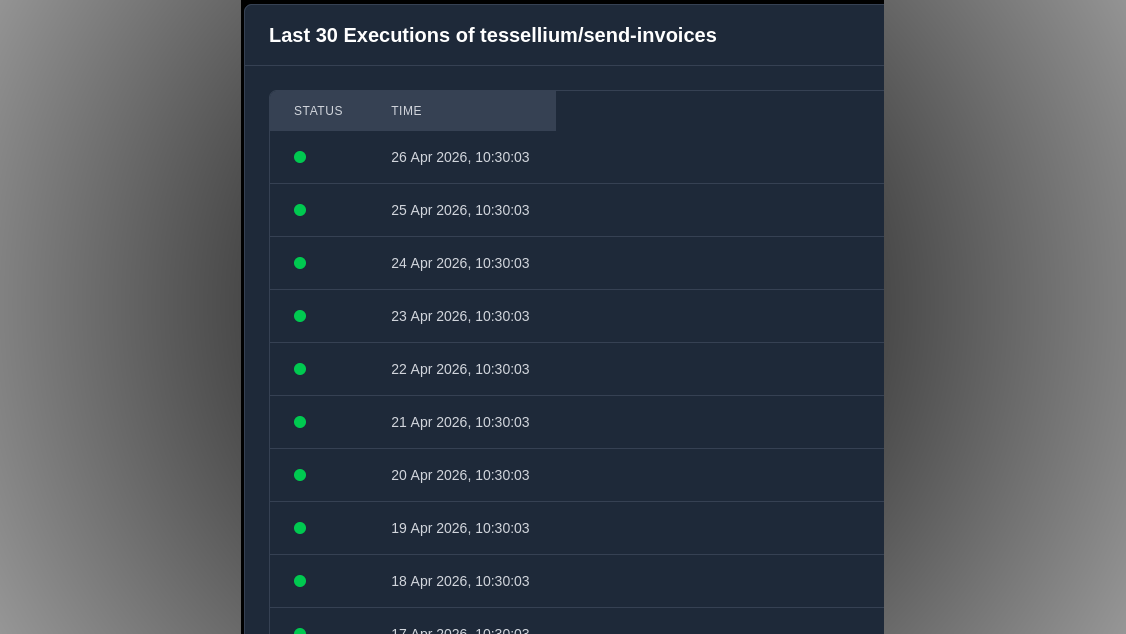
When I stepped back and looked at the bigger picture, it was clear that as long as the customer data was in two places (our database and Xero), the manual work would never end. There had to be a single source of data that drove the other systems. So we created a simple automation that runs on a schedule. Once a day, it checks our database, produces a list of customers that should be invoiced, then uses Xero’s API to create and send those invoices.
The road ahead
For such a simple automation, it’s brought me surprising relief. Every morning, invoices are sent and payments come in without me thinking about it. When I onboard a new customer, their billing is already handled automatically. I’ve got mental space to focus on the actual work of running the business.
What our implementation actually looks like
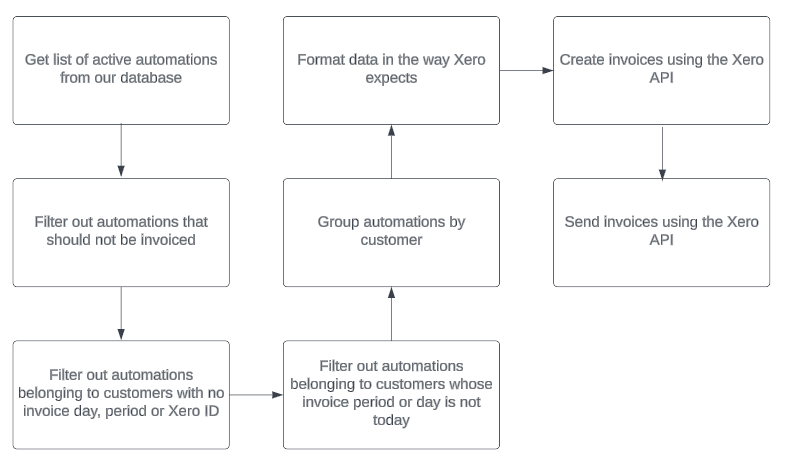
- Get list of active automations from our database We have a query that gives us a list of all active customers.
- Filter out automations that should not be invoiced We use our own product, and those are flagged “internal use only”, and so shouldn’t be invoiced.
- Filter out automations belonging to customers with no invoice day, period or Xero ID Data sanitizing. We don’t want to invoice customers before they’re set up.
- Filter out automations belonging to customers whose invoice period or day is not today We invoice on the anniversary of a customer going live, so we only want to process invoices due today.
- Group automations by customer We only want to send one invoice per customer.
- Format data in the way Xero expects Reformat the data to be compatible with Xero.
- Create invoices using the Xero API Send the data to the Xero API.
- Send invoices using the Xero API Trigger Xero’s Send Email functionality.
If invoicing is eating up your time, or you have other financial processes that slip through the cracks, let’s talk. Get in touch to see how we can automate it.